Yes, you can transfer your domain to LyteHosting. If your domain is currently registered with another provider, moving it to LyteHosting allows you to manage your hosting and domain in one place, making everything more convenient.
Requirements for Domain Transfer
Before you begin the transfer process, please ensure the following:
- Your domain is unlocked at your current registrar.
- You have obtained the EPP/Auth code (authorization key).
- Your domain is at least 60 days old (per ICANN transfer policy).
- Domain privacy protection (WHOIS guard) is disabled temporarily.
How to Transfer Your Domain to LyteHosting
Follow these simple steps to initiate your domain transfer:
STEP 1: Log in to your current registrar’s dashboard and ensure the domain is unlocked for transfer.
STEP 2: Request the EPP or authorization code. This is required to approve the transfer.
STEP 3: Initiate the transfer at LyteHosting;
- Log in to your LyteHosting Client Area.
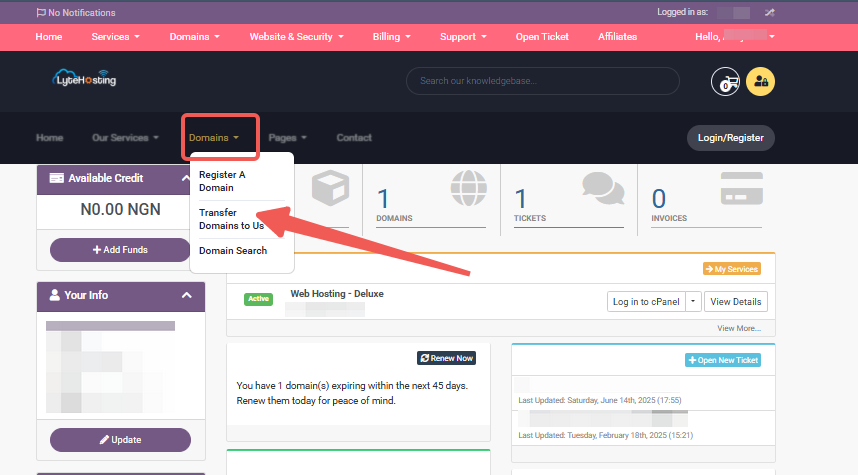
- Go to Domains and click on Transfer Domains to Us.
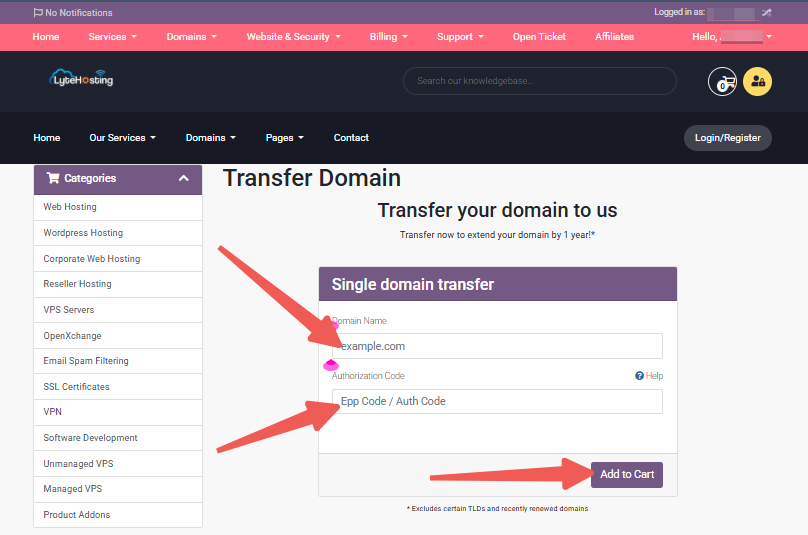
- Enter your Domain Name and the EPP Code, and click on “Add to Cart”.
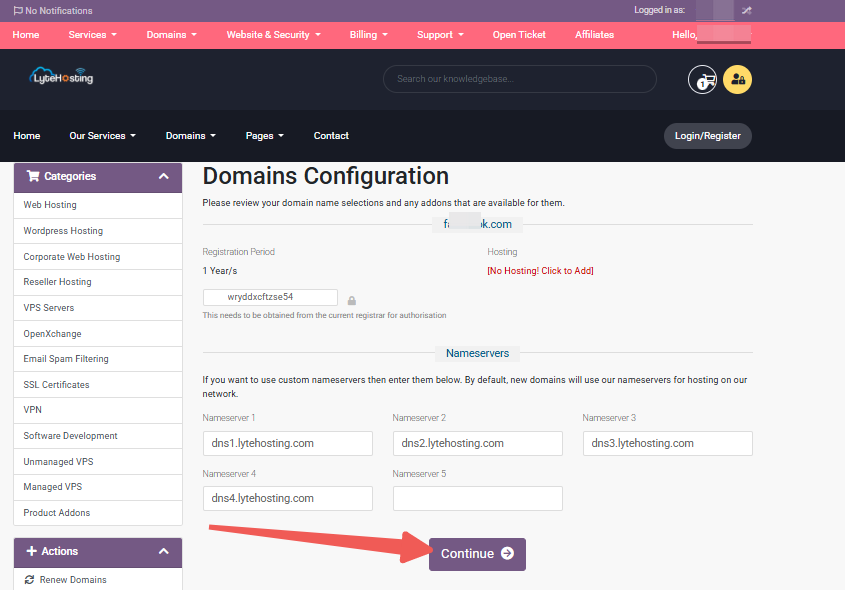
- Please review your domain name selection and any available addons, and click on ‘Continue’.
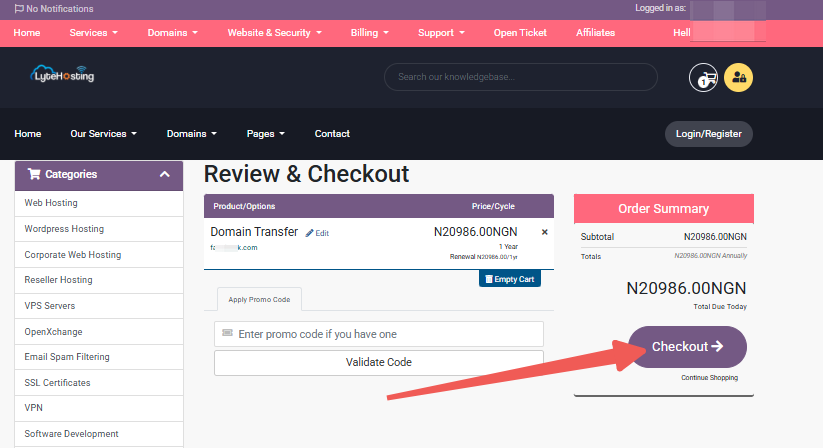
- Proceed to review and ‘Checkout’.
STEP 4: An email will be sent to the domain's registrant email address. Follow the instructions to approve the transfer.
STEP 5: Once approved, the transfer typically takes 5–7 days to finalize. You will be notified once it's complete.
What Happens After the Transfer?
- Your domain’s registration is extended by one additional year.
- You’ll manage DNS, renewals, and other settings from your LyteHosting account.
- You’ll gain access to our reliable support team and integrated tools.
Frequently Asked Questions (FAQ)
Q: Will my website or email go offline during the transfer?
A: No, as long as your DNS remains unchanged during the process, your services will continue working normally.
Q: Can I transfer a recently registered domain?
A: Domains must be at least 60 days old before they’re eligible for transfer.
Q: What if I entered the wrong EPP code?
A: If the EPP code is incorrect, the transfer will fail. You can try again by submitting the correct code.
Need Help?
If you need assistance during the domain transfer process, feel free to contact our support team, we’re here to help every step of the way.